
Read (2 mins)
You should know upfront that Google won’t remove a review because it’s negative or unfair. Google support will only remove a review if it breaks one of Google’s review guidelines.
That’s why you need to identify the right policy violation for the review in question to get your report approved by Google’s support staff. If the review’s content directly violates a policy, the process is a lot easier.
The 3 main types of negative review violations that most businesses can get removed are: spam, hate speech, or unauthentic feedback. If your report gets rejected, make sure to mention the violation in your appeal.
If you suspect a competitor left a specific negative review, then you flag it. Make sure to select the “Conflict of Interest” violation.
GBP Negative Review Extortion Scams
Scammers are blackmailing business owners by leaving fake reviews and demanding payment in exchange for their removal. If your business is dealing with an extortion scam like this, you can file a report here.
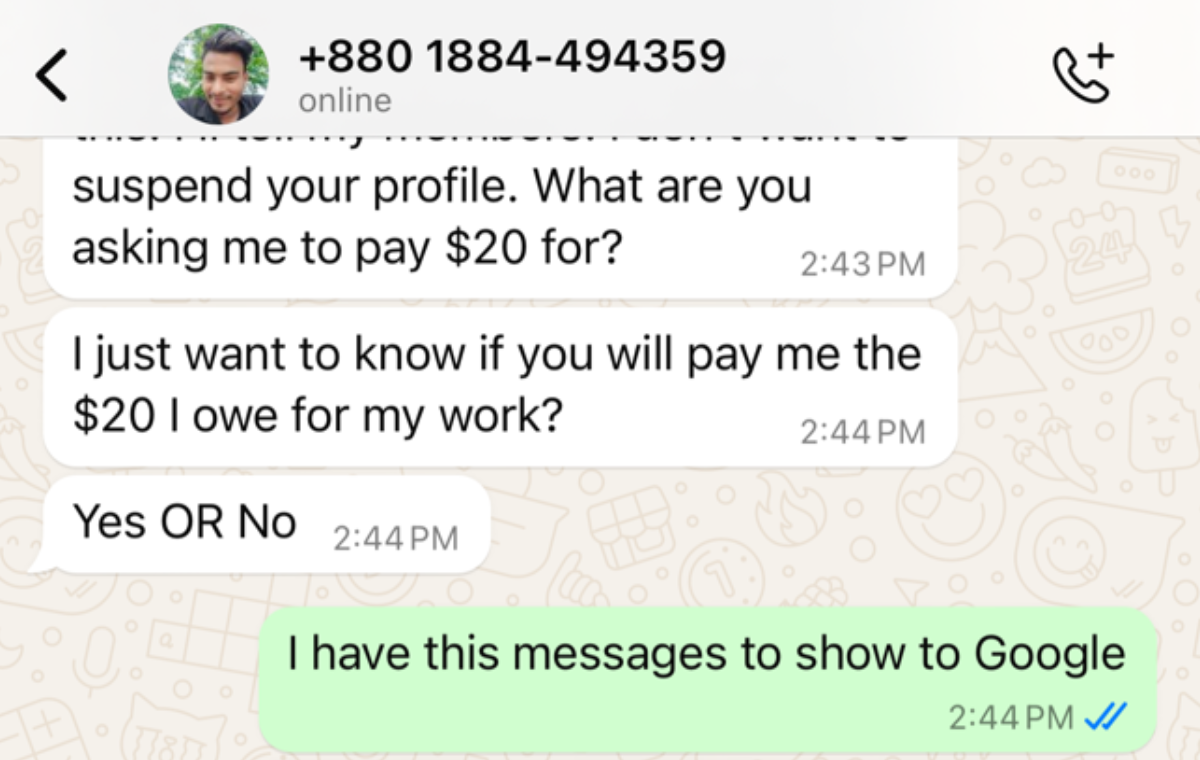
Ironically, being in this situation makes it easier since it provides you with direct evidence of the scam taking place. Take a screenshot of the threats (chats with matching timestamps) and follow this guide here.
Also, Google’s algorithm already has filters in place to detect a flood of fake reviews coming from suspicious accounts. So situations like this are less common due to the advancements in Google’s algorithms.
How To Report / Remove Fake Reviews
First, go through Google’s prohibited and restricted content guidelines and make sure the review’s content is actually violating them, or be ready to provide evidence to justify your claim.
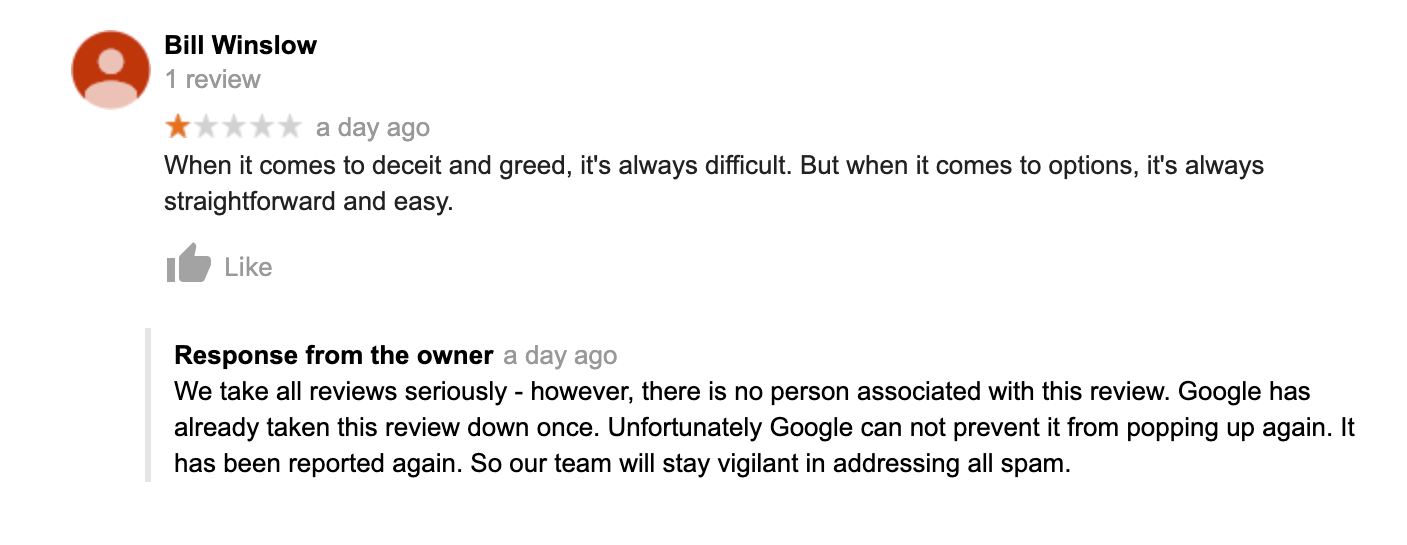
Then always respond publicly to protect the image of your business. As you can see from the screenshot above, the owner tried to do this while they wait for Google’s support staff to step in.
Say something like: “We have no record of a customer by your name. If you are a genuine customer, then please contact us directly so we can look into this.” Always remember to respond calmly and professionally.
So, how do you prove the review from the screenshot above is fake?
Start by clicking on the reviewer’s profile and going through their review history. If the Gmail account has left lots of random negative reviews with the same style all across multiple countries, then take screenshots.
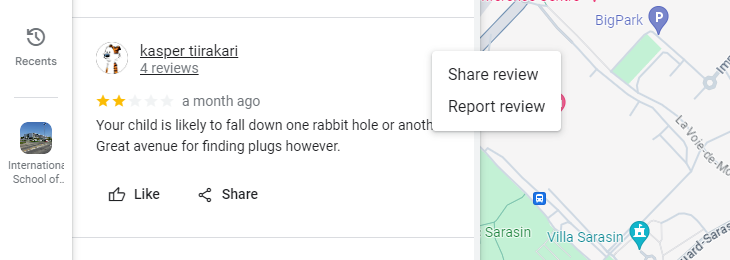
The next step is to flag it correctly. When you click the 3 dots near the review and then click “report review”, make sure to select the most accurate category. Track the status in the Reviews Management Tool.
In terms of a timeline, you can expect Google staff to respond to your report within 3 – 7 business days. If it’s been longer, but the review is still up, then that means they reviewed it and found no violation.
Want This Fixed, Not Just Explained?
If you want this dealt with properly, our Google Maps optimization service, which starts at $375, includes everything: profile, citations, keyword strategy, and fixing the precise issue you came here for. Consider booking a free consultation with me by clicking here.