
Read (2 mins)
Yes, you can set your home address as your business on Google Maps. But Google recommends hiding it from the public if you don’t sell or service directly from your home address.
How Do You Make it Private on GBP?
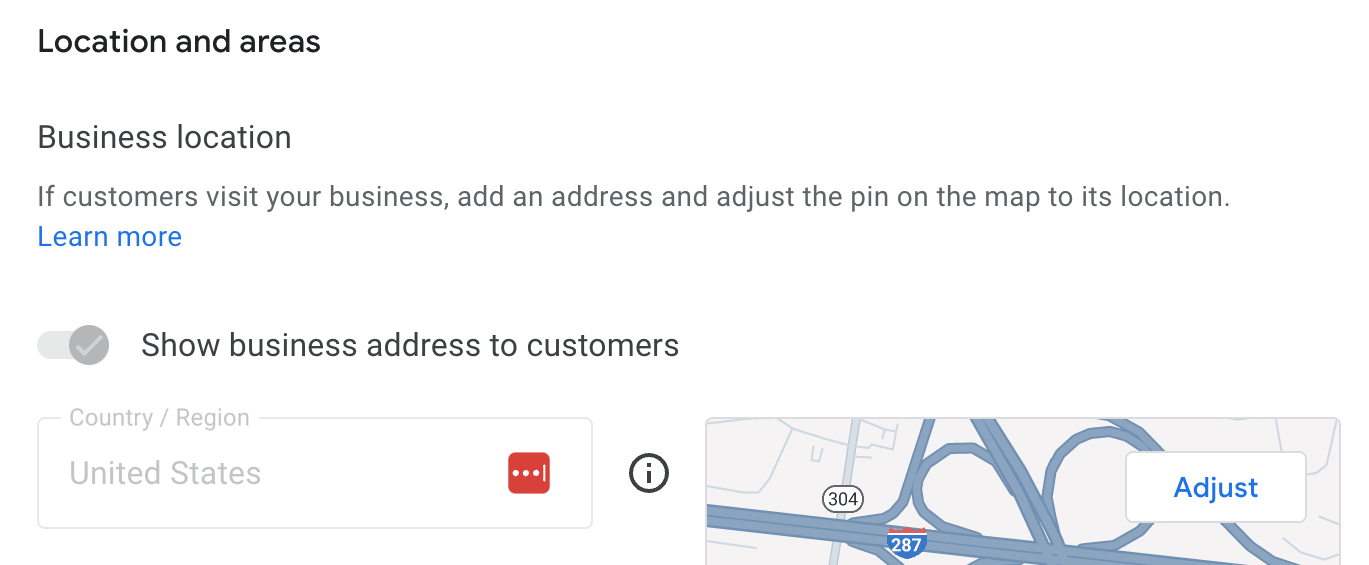
If you are not using your home as a physical shop for customers to walk into. Then you should toggle off the “show business address to customers” option, then hit save.
Also, keep in mind that hiding an address requires setting a specific service area radius to avoid being shadowbanned by Google’s algorithm.
But make sure to verify your address first through your GBP (Google Business Profile) listing before.
The Effects of Making a GBP Private
Some things you should know: Businesses that have their GBP visible to customers tend to have better rankings on local searches. That means having it set to private can hurt your rankings.
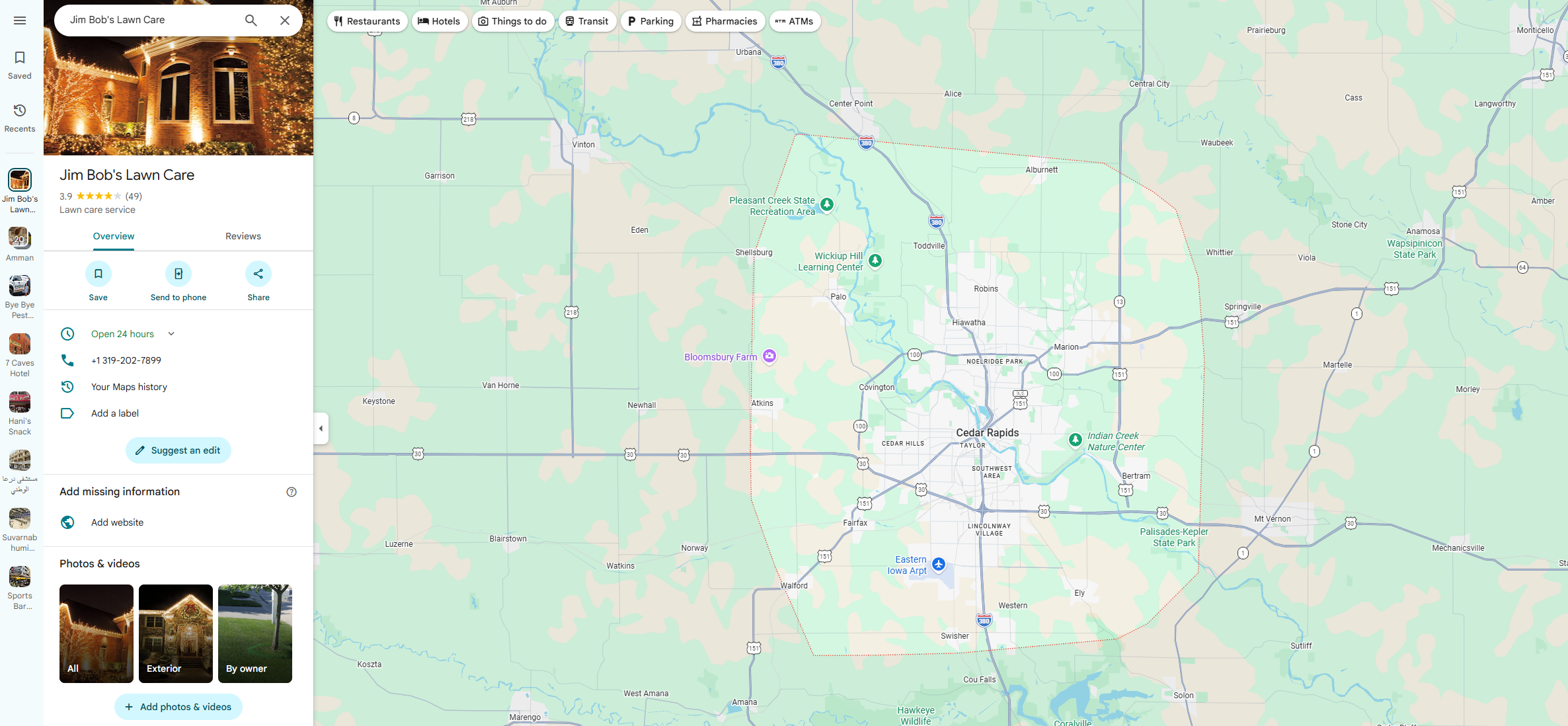
If you are gonna hide it, make sure to set the service area of your GBP to your city’s postal code. You can have up to 20 serviced as long as it’s within a 2 hour drive from where you’re based.
What if You Ignore Google Guidelines?
A few things you should know: According to Google’s Guidelines on hiding your business address. Showing the address when you aren’t using it as a storefront can risk your GBP getting suspended.
For example, if your business is a warehouse or a virtual office that is set to public, then Google will suspend it.
Want This Fixed, Not Just Explained?
If you want this dealt with properly, our Google Maps optimization service, which starts at $375, includes everything: profile, citations, keyword strategy, and fixing the precise issue you came here for. Consider booking a free consultation with me by clicking here.